 VapuAI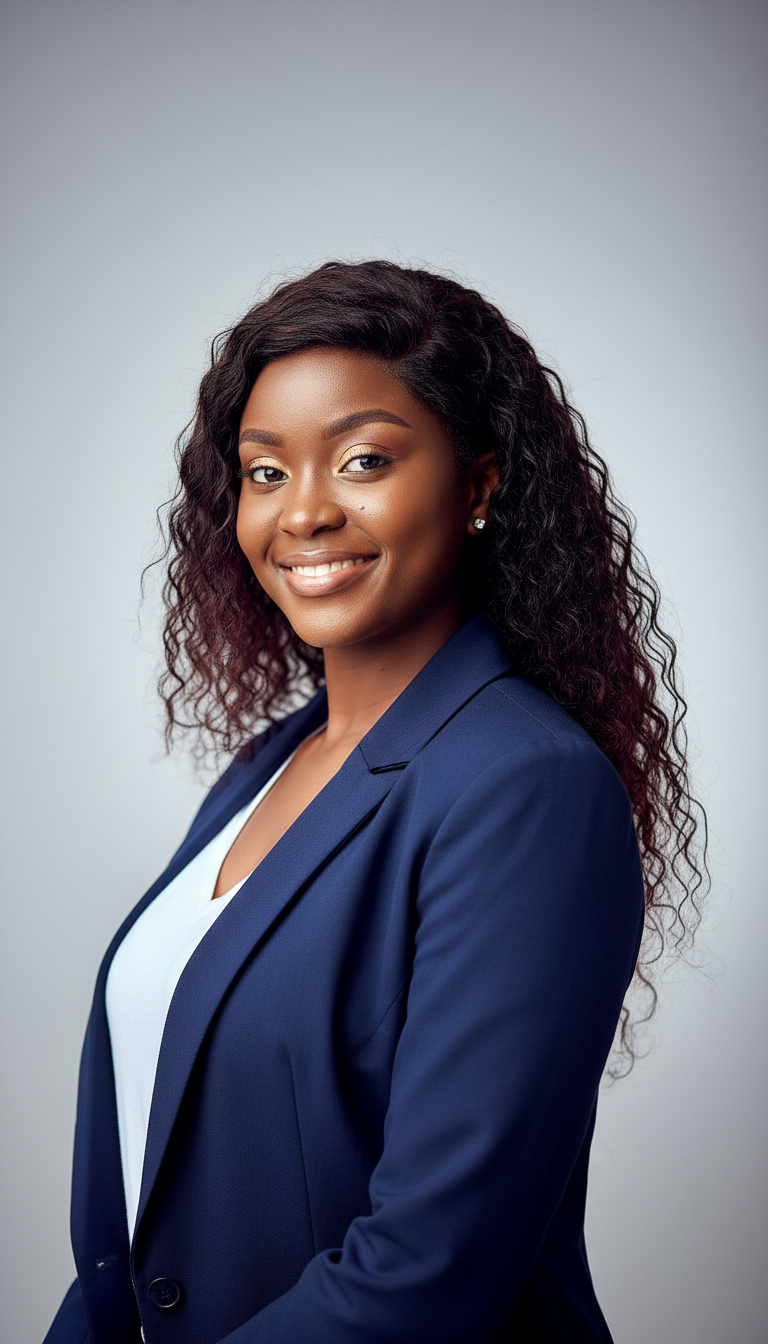
Universal Photorealistic Identity-Preserving Headshot
High-quality photorealistic headshot template that preserves exact identity from reference photo with natural medium-level retouching for professional use.
How can you generate a studio-grade professional headshot while maintaining your exact facial identity?
Achieve the perfect balance of realistic medium skin retouching and sharp executive styling
The Universal Photorealistic Identity-Preserving Headshot template allows you to generate an ultra-realistic corporate portrait that retains your exact facial features, hair structure, and unique identifiers from a reference photo, styled in a sharp navy blazer against a classic studio gradient backdrop. Perfect for modern professionals and agencies, this deterministic template guarantees that your resulting image looks like a real photograph rather than an AI-generated avatar. By applying precise medium-level retouching, the system balances polish and authenticity, correcting temporary blemishes and subtle discoloration while preserving natural skin textures, pores, and defining characteristics like moles or freckles.
How to create it in VapuAI
- 1
Upload reference photo
Upload a clear, high-resolution source photo of the subject to establish the base identity and hair details.
- 2
Apply the template
Select the Universal Photorealistic Identity-Preserving Headshot template to automatically configure the navy blazer and studio backdrop parameters.
- 3
Review retouching parameters
The template automatically applies a medium retouching algorithm to balance polish with natural skin textures, keeping pores and birthmarks intact.
- 4
Generate and export
Click generate to render the final photorealistic image, check the identity alignment, and download your high-resolution output.
Prompt & settings
Tips for best results
- •For the absolute best identity preservation, upload a front-facing reference photo with neutral lighting and no heavy filters or extreme angles.
- •Let our deterministic engine handle the skin retouching; avoid pre-editing your upload, as our system is calibrated to perfectly balance a 30% pore visibility reduction with 80% temporary blemish removal.
- •Keep your custom prompt additions simple to ensure the focus remains on the classic navy blue blazer and clean light-gray studio backdrop.
- •Ensure your source photo has the subject's hair styled similarly to how they want it in the final output, as this template strictly matches reference hair flow and color.
Best for
- Corporate marketing teams who need to scale executive directories with uniform, high-quality portraits in navy blue blazers without booking expensive studio photographers.
- Independent consultants and freelancers looking to refresh their LinkedIn presence with a highly credible, polished portrait that remains 100% recognizable to clients in real life.
- Creative agencies managing personal branding campaigns for multiple clients who demand strict identity preservation and natural, non-waxy skin textures.
- Remote-first HR managers establishing cohesive team page standards by converting casual employee selfies into matching, studio-quality professional headshots.
- Job seekers aiming for highly competitive corporate positions who require a traditional, high-trust corporate aesthetic with precise, clean-cut attire.
Frequently asked questions
Will this template make my skin look unnaturally smooth or plastic?
No, this template is specifically designed with medium-level retouching that preserves your natural skin texture, keeping pores visible and retaining all permanent features like moles and freckles.
Can I change the color of the blazer from navy blue?
This specific template is configured to generate a classic navy blue blazer (#1C3A5E) to ensure consistent corporate styling, but you can explore our other sibling templates for alternative attire choices.
How accurate is the identity preservation feature?
It is highly accurate. By utilizing a deterministic identity-locking workflow, the template matches your exact facial geometry, hair color, and eye structure from the reference photo.
What kind of background does this headshot template generate?
It produces a clean, professional studio background featuring a soft radial gradient that transitions from a light gray center to a slightly darker gray edge.
More Templates in Professional Headshots
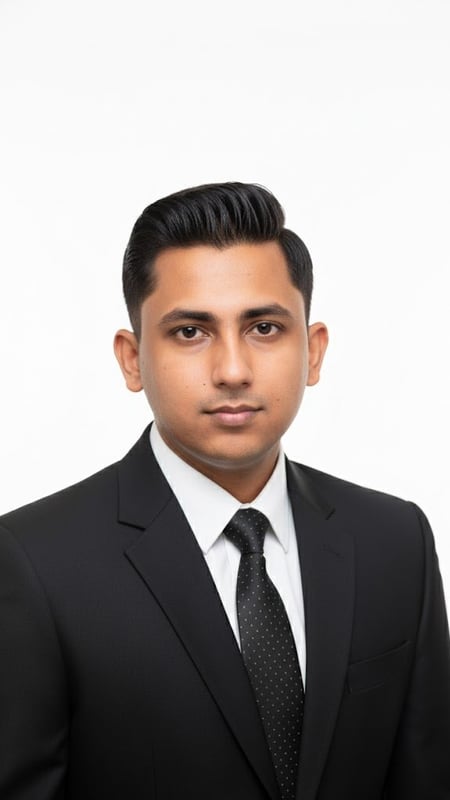
Professional Headshot | Formal Attire
Capture a clean, bright professional headshot in formal business attire. Ideal for LinkedIn, resumes, and corporate branding.
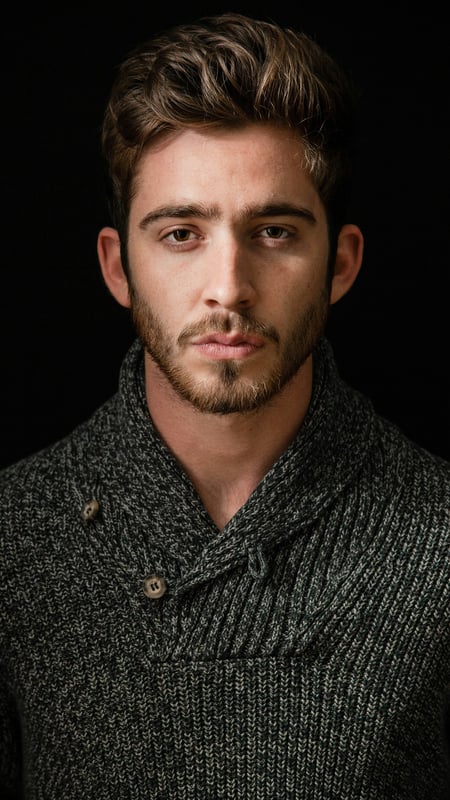
Dark Moody Headshot | Textured Knitwear
Create dramatic close-up portraits with deep contrast and rich knitwear textures. Perfect low-key AI photo template for editorial lighting.
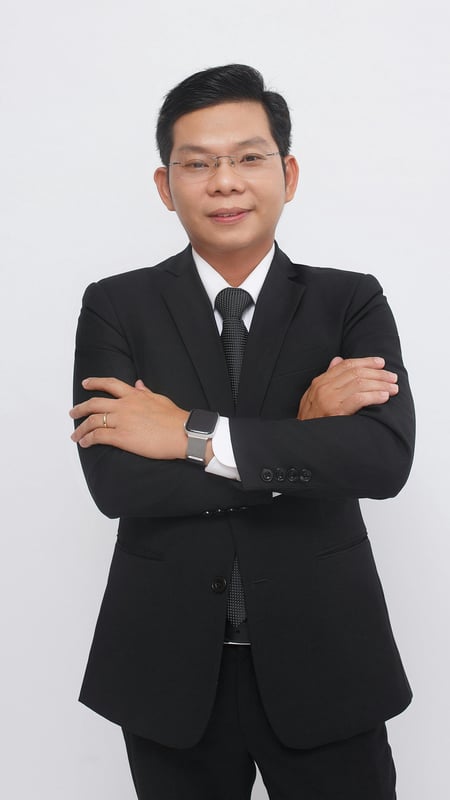
Professional Business Portrait | Crossed Arms
Capture a full-body business portrait with confident crossed arms and clean studio lighting. Ideal for executives, resumes, and corporate branding.