 VapuAI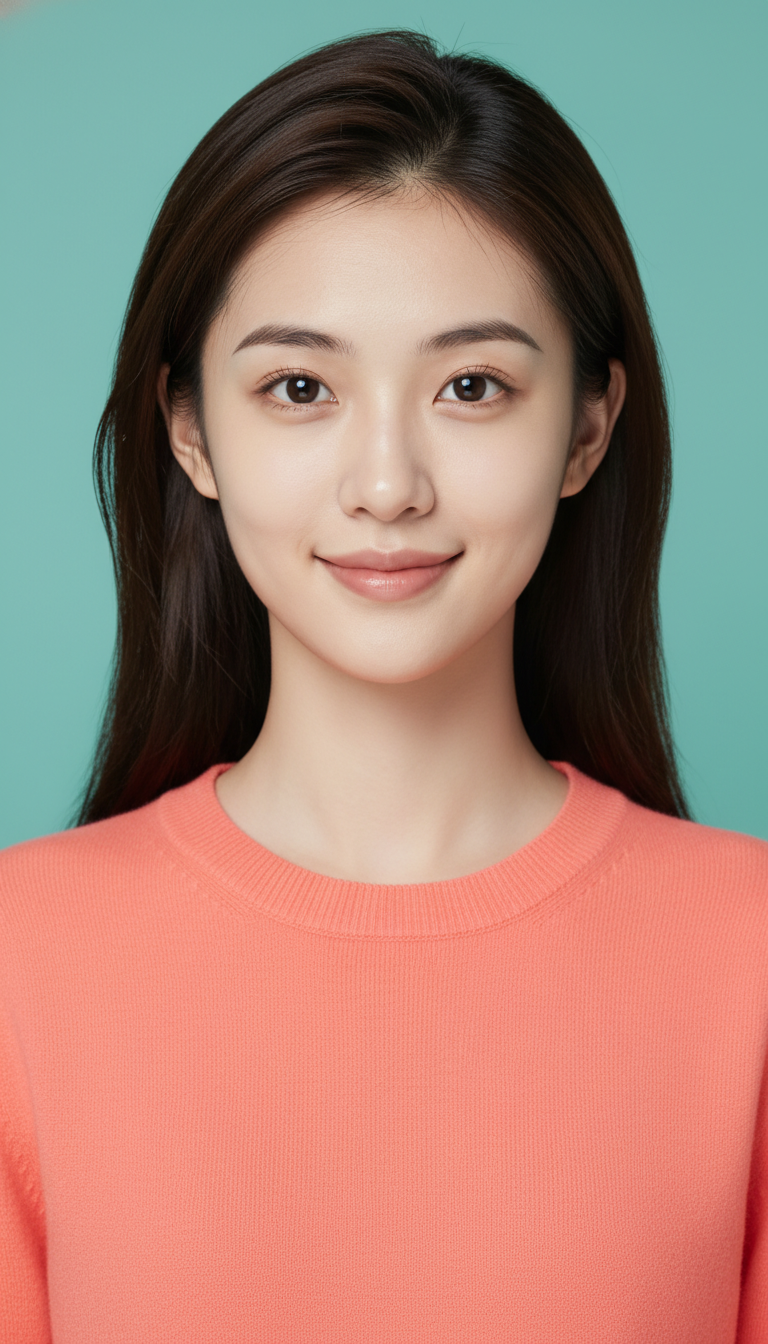
Bold Color Backdrop Brand Headshot for Social Profiles
High-impact headshot with bold solid color background for social profiles and personal branding with minimal retouching and clean cutout edges.
How Can You Make Your Professional Profile Stand Out on Crowded Social Feeds?
Stop the Scroll with High-Contrast, Minimal-Retouch Personal Branding Imagery
The Bold Color Backdrop Brand Headshot for Social Profiles template is a high-contrast generator designed to create striking, professional portraits featuring a solid teal background paired with a complementary coral crew-neck sweater. With this template, you can generate a vibrant, scroll-stopping headshot that maintains complete facial likeness while ensuring clean, sharp edges optimized for easy digital cutting. Unlike traditional corporate portraits, this setup balances a modern, energetic color palette with 100% natural skin textures and zero artificial smoothing, resulting in an authentic and high-impact digital presence.
How to create it in VapuAI
- 1
Upload Reference Photo
Upload a high-quality, front-facing reference photo to lock in your identity.
- 2
Select Template
Select the Bold Color Backdrop Brand Headshot for Social Profiles template on the workspace.
- 3
Refine Prompts
Verify or adjust the custom prompt to maintain the coral sweater and flat teal background elements.
- 4
Generate Asset
Run the generation to render your portrait with natural skin textures and clean cutout outlines.
- 5
Download and Share
Export the high-resolution output for direct use across LinkedIn, Twitter, or your personal brand site.
Prompt & settings
Tips for best results
- •Use a reference photo with clear hair-to-background contrast to help the generative workspace achieve those ultra-sharp, perfect cutout edges.
- •Avoid uploading source images with heavy pre-existing filters, as this template is carefully tuned for a low-retouching, highly realistic skin texture.
- •Keep your expression confident and direct; the straight-on camera angle works best with an engaging, open smile and a natural catchlight in the eyes.
Best for
- Creative directors and marketing agency founders who want to showcase an energetic, modern brand identity rather than a stuffy corporate look.
- Social media managers and content creators looking to establish a highly recognizable, cohesive visual footprint across platforms like LinkedIn, Twitter, and Threads.
- Tech startup founders seeking a friendly, approachable, yet confident and high-impact avatar for pitch decks, press releases, and team directories.
- Freelancers and independent consultants who want an easily extractable, clean-cut portrait to integrate seamlessly into customized landing pages or media kits.
Frequently asked questions
Can I change the background and sweater colors in this template?
While this template is optimized for the high-impact teal and coral complementary pairing, you can customize the prompt details in the workspace to adjust the hex codes or clothing style.
Will my skin look overly airbrushed or fake?
No, this template is specifically configured with low-retouching parameters to preserve 100% of your natural skin texture and avoid artificial smoothing.
Is this headshot easy to cut out for website designs?
Yes, the generator is instructed to render perfectly uniform backgrounds with zero texture and crisp, sharp subject boundaries, making background removal incredibly clean.
What camera angle does this template generate?
This template is locked into a straight-on, 0-degree camera angle to create a balanced, centered, and highly confident gaze directly at the viewer.
More Templates in Professional Headshots
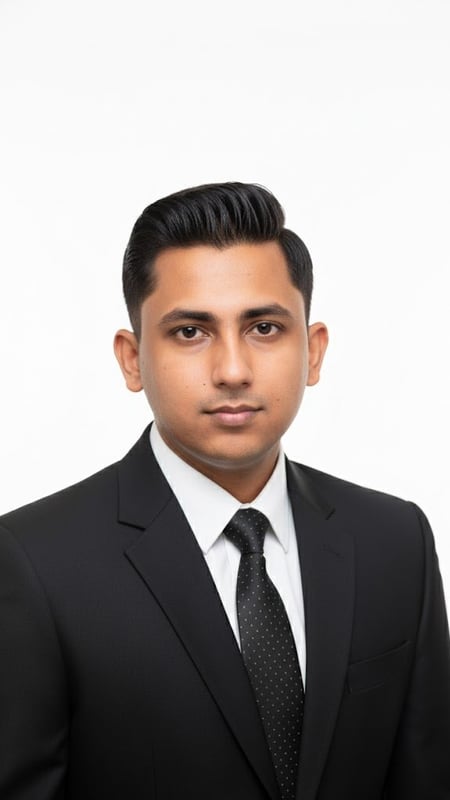
Professional Headshot | Formal Attire
Capture a clean, bright professional headshot in formal business attire. Ideal for LinkedIn, resumes, and corporate branding.
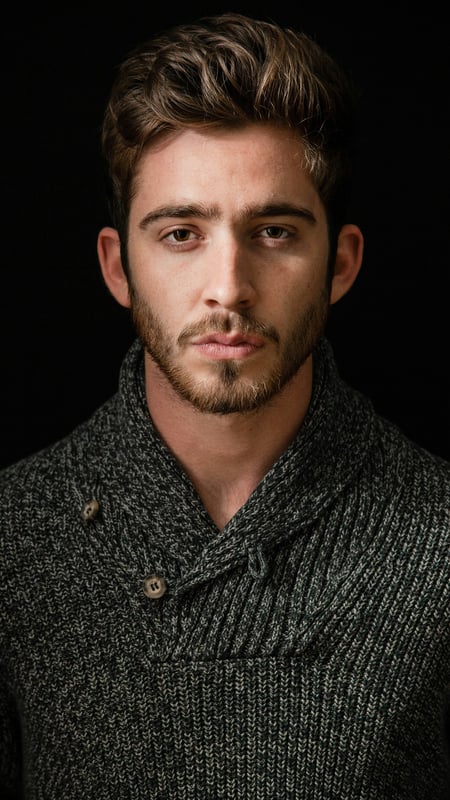
Dark Moody Headshot | Textured Knitwear
Create dramatic close-up portraits with deep contrast and rich knitwear textures. Perfect low-key AI photo template for editorial lighting.
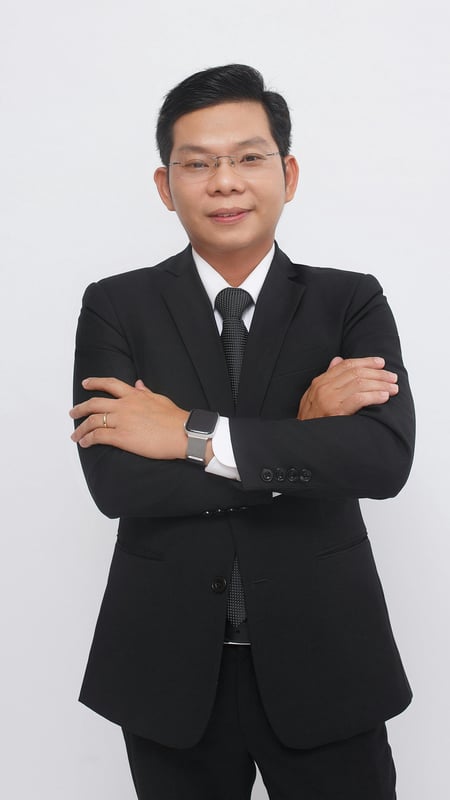
Professional Business Portrait | Crossed Arms
Capture a full-body business portrait with confident crossed arms and clean studio lighting. Ideal for executives, resumes, and corporate branding.