 VapuAI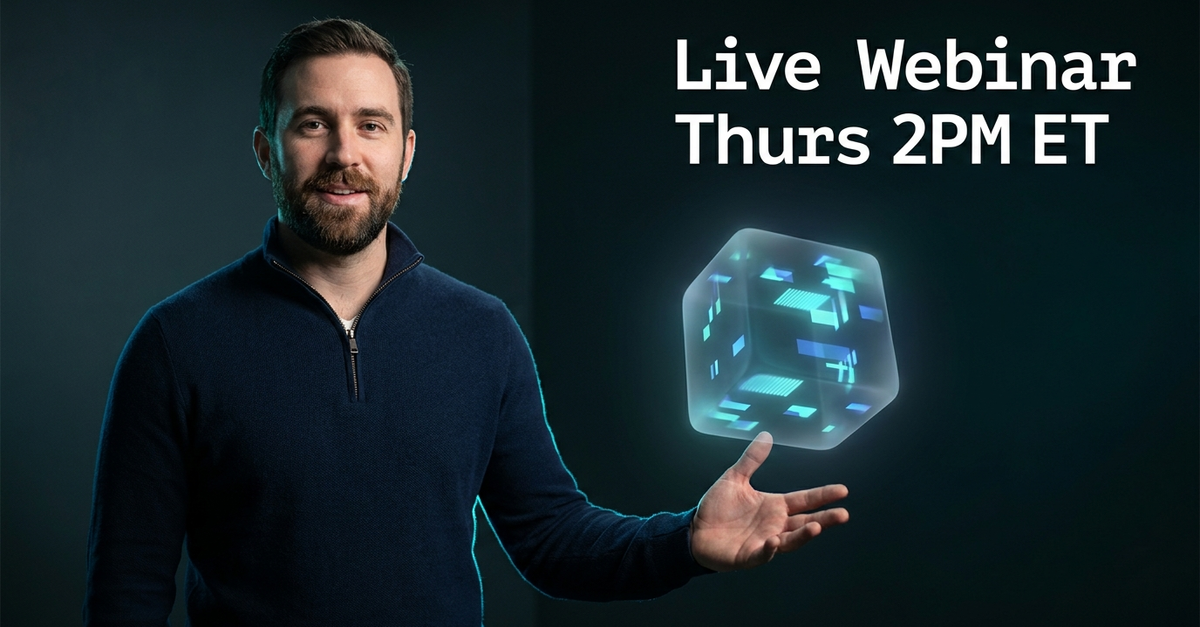
Webinar Promo
Webinar Promo template for LinkedIn Ad: generate an on-brand webinar promo visual with VapuAI in minutes.
How can you design LinkedIn webinar ads that actually drive registrations?
Create high-converting B2B event visuals without expensive studio shoots
The Webinar Promo template is a professional AI-driven design asset crafted to generate high-converting, cinematic LinkedIn ad visuals featuring a friendly presenter gesturing alongside an abstract floating data dashboard. By utilizing this template, you can produce scroll-stopping B2B graphics that combine authoritative human elements with sleek, high-tech visual cues, leaving ample negative space for your event details. Stop relying on sterile stock photos: this setup delivers a premium, dark slate studio aesthetic with custom cyan accents that makes your upcoming digital events look like must-attend industry summits.
How to create it in VapuAI
- 1
Choose the Template
Select the Webinar Promo template within the VapuAI creator library.
- 2
Customize the Prompt
Define the presenter details and dashboard style to align with your corporate branding.
- 3
Generate and Review
Run the generation process and select the best layout featuring optimal negative space.
- 4
Export and Add Copy
Download your high-resolution asset and overlay your webinar title and date before launching your LinkedIn campaign.
Prompt & settings
Tips for best results
- •Keep the top-right quadrant clear of complex visual elements so your webinar date and RSVP copy remain highly readable.
- •Experiment with contrasting brand colors in the dashboard glow to match your corporate identity while keeping the dark slate background.
- •Specify the presenter's posture or expression in your prompt adjustments to match the serious or energetic tone of your event topic.
Best for
- B2B Marketing Managers who need high-quality, professional promo assets to drive sign-ups for upcoming panel discussions and product deep-dives.
- Growth Agencies managing paid LinkedIn campaigns who require rapid, on-brand creative variations to run A/B testing on ad creatives.
- SaaS Product Evangelists wanting to showcase their software analytics capabilities alongside an authoritative, friendly human presenter.
- Corporate Event Planners looking for a cost-effective way to generate premium, polished visual invites without booking professional photography.
- Social Media Managers who want to maintain a consistent, dark-mode tech aesthetic across all their professional platform event promotions.
Frequently asked questions
Can I change the gender or ethnicity of the presenter in this template?
Yes, you can easily customize the presenter's appearance, including gender, ethnicity, and clothing style, by adding specific descriptors to your custom prompt input before generating.
Does the generated image include the text overlay for my webinar details?
No, the image generates without baked-in text to give you maximum flexibility. This allows you to add your custom typography, brand logos, and dynamic dates post-generation.
Why is there empty space on the right side of the generated image?
This intentional negative space is designed specifically to accommodate your webinar title, speaker names, and registration call-to-action without cluttering the visual composition.
What is the best dimension for a LinkedIn webinar ad?
We recommend generating your images in a standard 1.2 to 1 landscape ratio or a 1 to 1 square ratio, both of which fit perfectly within LinkedIn sponsored content feeds.
More Templates in AI LinkedIn Ad Generator

B2B Headline
B2B Headline template for LinkedIn Ad: generate an on-brand b2b headline visual with VapuAI in minutes.

Case Study Stat
Case Study Stat template for LinkedIn Ad: generate an on-brand case study stat visual with VapuAI in minutes.
Hiring Brand
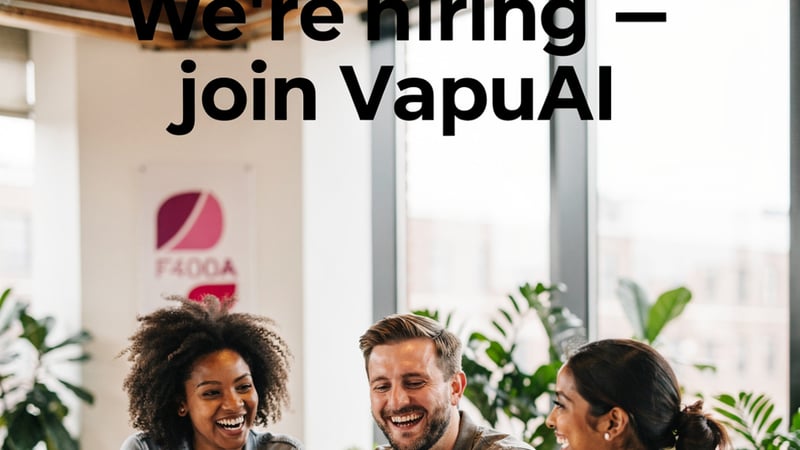
Hiring Brand template for LinkedIn Ad: generate an on-brand hiring brand visual with VapuAI in minutes.