 VapuAI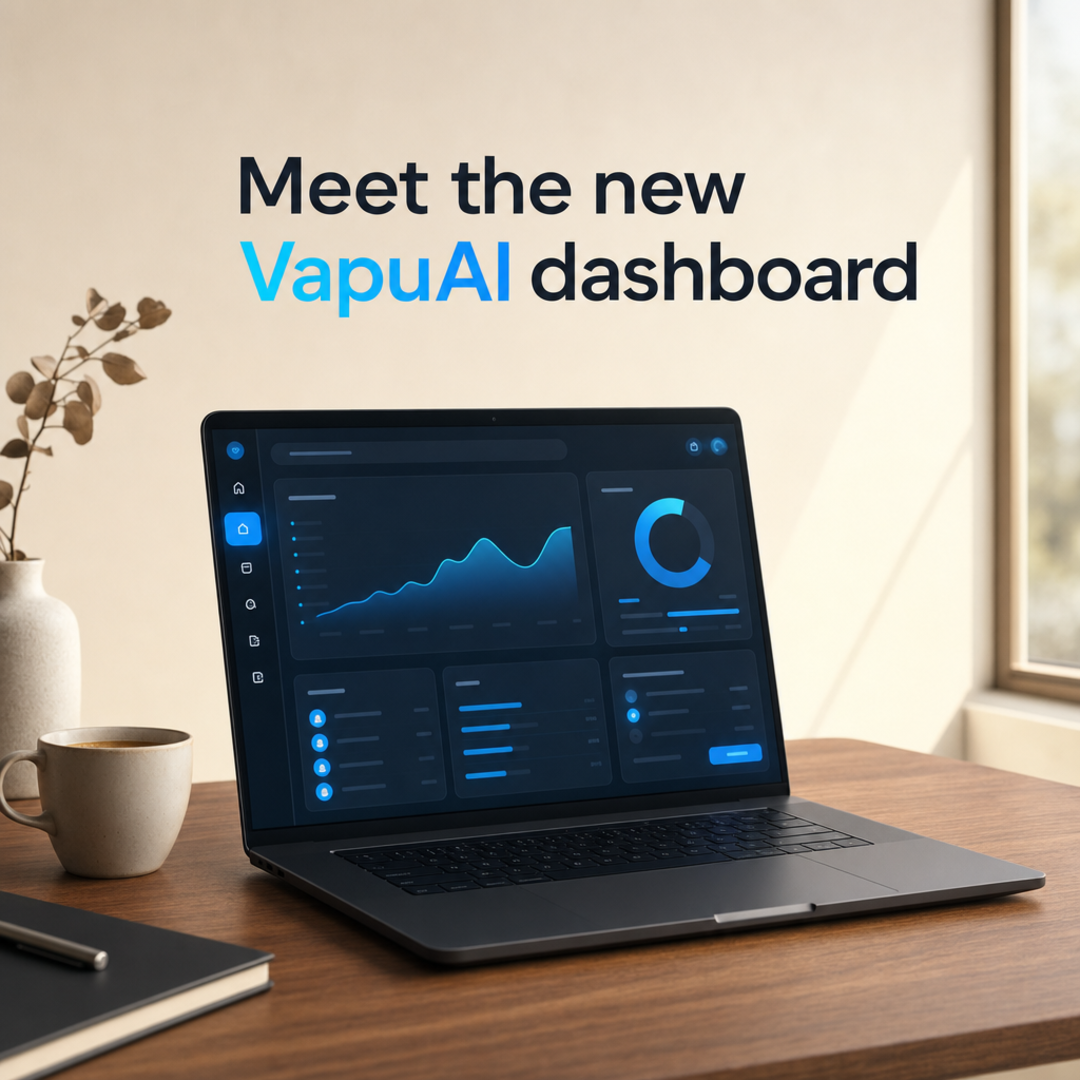
Product Feature
Product Feature template for LinkedIn Ad: generate an on-brand product feature visual with VapuAI in minutes.
How Do You Design High-Converting B2B Product Feature Ads for LinkedIn?
Create Premium, Contextual Product Visuals That Drive Clicks and Demystify Your SaaS
The Product Feature template is an AI-powered design blueprint engineered to generate premium, in-context product visual assets specifically optimized for B2B LinkedIn campaigns. With this template, you can instantly render a sleek, high-end desk workspace featuring your SaaS interface glowing softly on a matte-black laptop screen, framed perfectly to leave ample negative space at the top for ad copy. It bypasses expensive studio photography, allowing you to showcase software dashboard updates, digital tools, or platform features in a warm, professional, and approachable B2B setting that builds trust and stops the scroll.
How to create it in VapuAI
- 1
Choose the Template
Open the VapuAI dashboard and select the Product Feature template under the LinkedIn Ad category.
- 2
Customize the Workspace and Glow
Enter your brand's interface colors and adjust the prompt to describe your software's specific dashboard vibe.
- 3
Generate and Refine
Run the generator to produce the high-fidelity render, keeping an eye on the empty space at the top of the image.
- 4
Export and Add Copy
Download the final B2B visual asset in high resolution and overlay your specific feature headline.
Prompt & settings
Tips for best results
- •Describe the specific colors of your UI in the prompt to ensure the ambient screen glow realistically matches your actual software.
- •Keep the desk elements minimalist: stick to simple accessories like ceramic mugs or subtle plants to avoid cluttering the visual hierarchy.
- •Leverage the top-third negative space by placing high-contrast, bold typography that highlights your key feature benefit directly on the LinkedIn feed.
Best for
- SaaS Marketing Teams looking to showcase new dashboard UI updates in a realistic, premium office setting without scheduling a physical photoshoot.
- B2B Growth Marketers who need high-converting, clean LinkedIn ad creatives that balance realistic product context with clear negative space for value-prop copy.
- Digital Advertising Agencies managing multiple tech clients who require rapid, volume-based generation of cohesive, on-brand visual assets.
- Product Managers wanting to pre-visualize and pitch upcoming software features to stakeholders using high-fidelity, contextual mockups.
- Content Creators building professional design portfolios who need to showcase digital products embedded within elegant, realistic workspaces.
Frequently asked questions
Can I change the device shown on the desk?
Yes, you can modify the custom prompt placeholder to specify other professional hardware, such as a modern tablet or dual-monitor setup, while maintaining the same premium lighting.
How does the template ensure there is room for my ad copy?
The prompt is hard-coded with a macro composition that keeps the physical product in the lower two-thirds, preserving clean, distraction-free space at the top.
Do I need to upload an actual screenshot of my software?
You can describe your interface elements in the prompt placeholder to generate an abstract, clean representation, or use VapuAI's editing tools to overlay your real UI screenshot.
What makes this template specifically optimized for LinkedIn?
It uses a warm, neutral color grade and approachable B2B styling that mimics high-end corporate lifestyle photography, which builds trust with professional audiences.
More Templates in AI LinkedIn Ad Generator

B2B Headline
B2B Headline template for LinkedIn Ad: generate an on-brand b2b headline visual with VapuAI in minutes.

Case Study Stat
Case Study Stat template for LinkedIn Ad: generate an on-brand case study stat visual with VapuAI in minutes.

Hiring Brand
Hiring Brand template for LinkedIn Ad: generate an on-brand hiring brand visual with VapuAI in minutes.