 VapuAI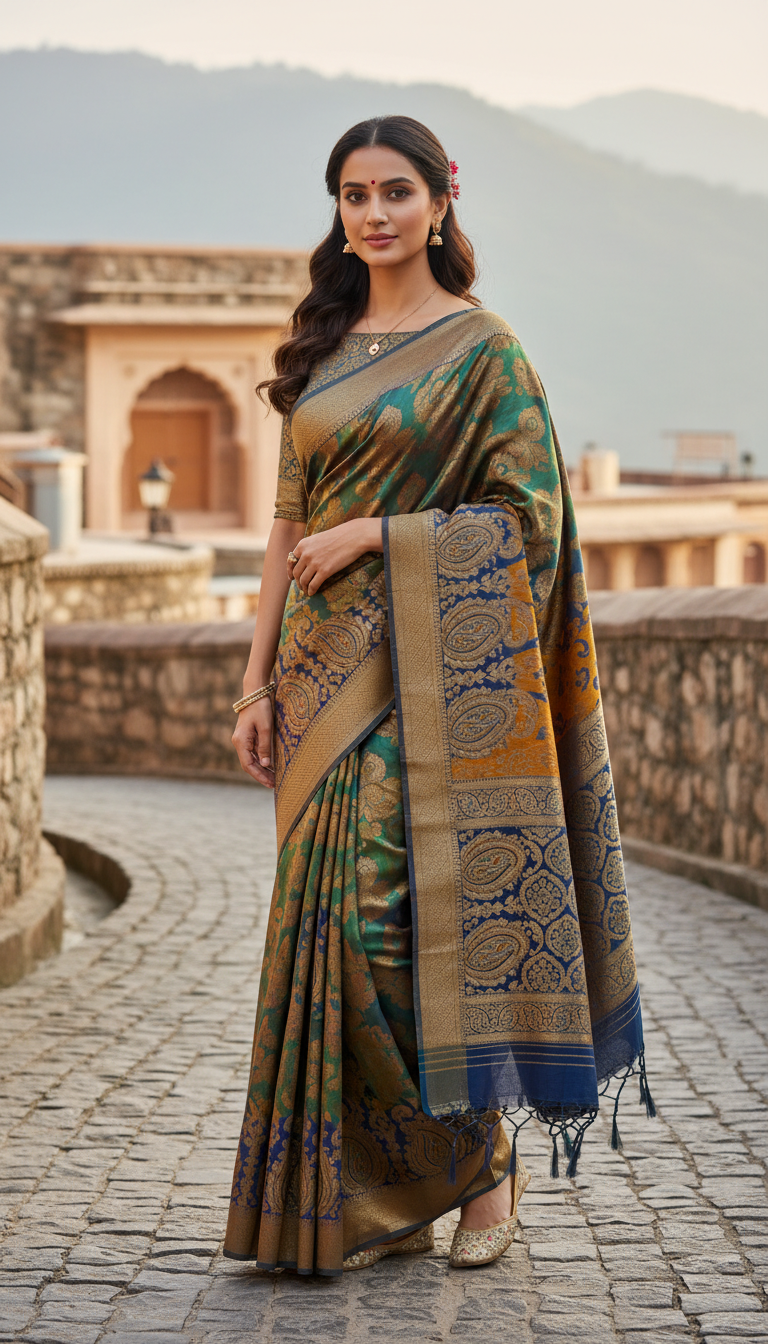
Pashmina Saree Elegance in Hill Town
Discover the timeless elegance of a Pashmina saree as a person poses gracefully in a picturesque Indian hill town setting, showcasing the exquisite craftsmanship, softness, and warmth of this traditional Indian attire.
How Can You Create Photorealistic Winter Saree Campaigns Set in Misty Hill Stations?
Capture the Tactile Warmth of Premium Kashmiri Pashmina Drapes Effortlessly
The Pashmina Saree Elegance in Hill Town template allows you to instantly generate high-fidelity, photorealistic images of a model styled in a luxurious, warm Kashmiri Pashmina saree set against a picturesque, misty Indian mountain village. Perfect for winter ethnic collections, this template captures the delicate weave, soft wool texture, and graceful drape of authentic Pashmina, framed by rustic stone pathways and soft mountain sunlight. By using our advanced multi-model workspace, you can seamlessly blend traditional Indian fashion with the serene atmosphere of a high-altitude retreat, bypassing the need for expensive on-location winter shoots.
How to create it in VapuAI
- 1
Upload Reference Portrait
Upload a high-quality reference photo of your subject to lock in facial consistency and structure.
- 2
Select Pashmina Template
Choose the Pashmina Saree Elegance in Hill Town template to load the curated mountain environment and fabric presets.
- 3
Customize Prompt Details
Define your preferred saree colors, embroidery styles, and atmospheric conditions like mist or sunlight.
- 4
Generate and Refine
Click generate to create the 9:16 high-resolution winter lifestyle image, and use editing tools to fine-tune the final asset.
Prompt & settings
Creative goal
Generate a photorealistic, high-resolution image of a person elegantly draped in a luxurious Pashmina saree, standing gracefully against a serene hill town backdrop.
Style anchors
Tips for best results
- •To emphasize the winter setting, specify cool-toned color schemes for the saree like deep maroon, forest green, or mustard yellow, which pop beautifully against misty mountains.
- •Provide a high-contrast face reference image under natural lighting to ensure the facial integration matches the soft, ambient sunlight of the hill town.
- •Add descriptive terms like 'delicate Kashmiri embroidery' or 'intricate self-weave patterns' to the prompt placeholder to maximize the visible texture of the Pashmina wool.
Best for
- Ethnic fashion labels wanting to showcase their high-end winter saree collections without coordinating expensive physical production in remote hill stations.
- Social media managers for Indian clothing brands who need high-frequency, seasonal lifestyle content that highlights fabric texture and drape.
- Creative agencies designing cozy winter campaign mockups and lookbooks for luxury textile and heritage apparel brands.
- E-commerce catalog designers looking to place products in realistic, culturally resonant environments that emphasize warmth and luxury.
- Visual artists and content creators crafting high-quality, atmospheric mood boards focused on traditional South Asian winter styles.
Frequently asked questions
Can I change the color and pattern of the Pashmina saree in this generator?
Yes, you can easily customize the saree's color, patterns, and embroidery style by modifying the user prompt placeholder before running the generation.
Will the model's face look natural and consistent if I use a reference photo?
Absolutely. VapuAI uses advanced identity reference mapping to ensure the facial structure, ethnicity, and expressions from your uploaded image are blended realistically into the generated scene.
What aspect ratio is used for this specific template?
This template is optimized for a 9:16 vertical aspect ratio, making it perfect for social media stories, reels, Pinterest pins, and mobile-friendly lookbooks.
Is it possible to adjust the background elements, like adding more snow or mist?
Yes, you can describe specific atmospheric conditions in your prompt customization, such as adding light snow, heavier fog, or changing the time of day.
More Templates in Indian Sarees

Red Banarasi Silk Saree Palace Wedding Prompt
Generate stunning photorealistic images of a person in an elegant red Banarasi silk saree, adorned with traditional jewelry, in a grand Indian palace wedding setting. Perfect for cultural fashion content.

Royal Blue Banarasi Silk Saree on Haveli Swing
Discover the timeless beauty of a royal blue Banarasi silk saree with heavy zari brocade, captured in a serene haveli setting. Perfect for cultural fashion inspiration.

Banarasi Silk Saree Mandap Ceremony
Generate exquisite AI images of an adult person in a luxurious Banarasi Silk saree with heavy zari brocade, captured in a warm, sacred Indian mandap setting. Perfect for cultural fashion and traditional themes.