 VapuAI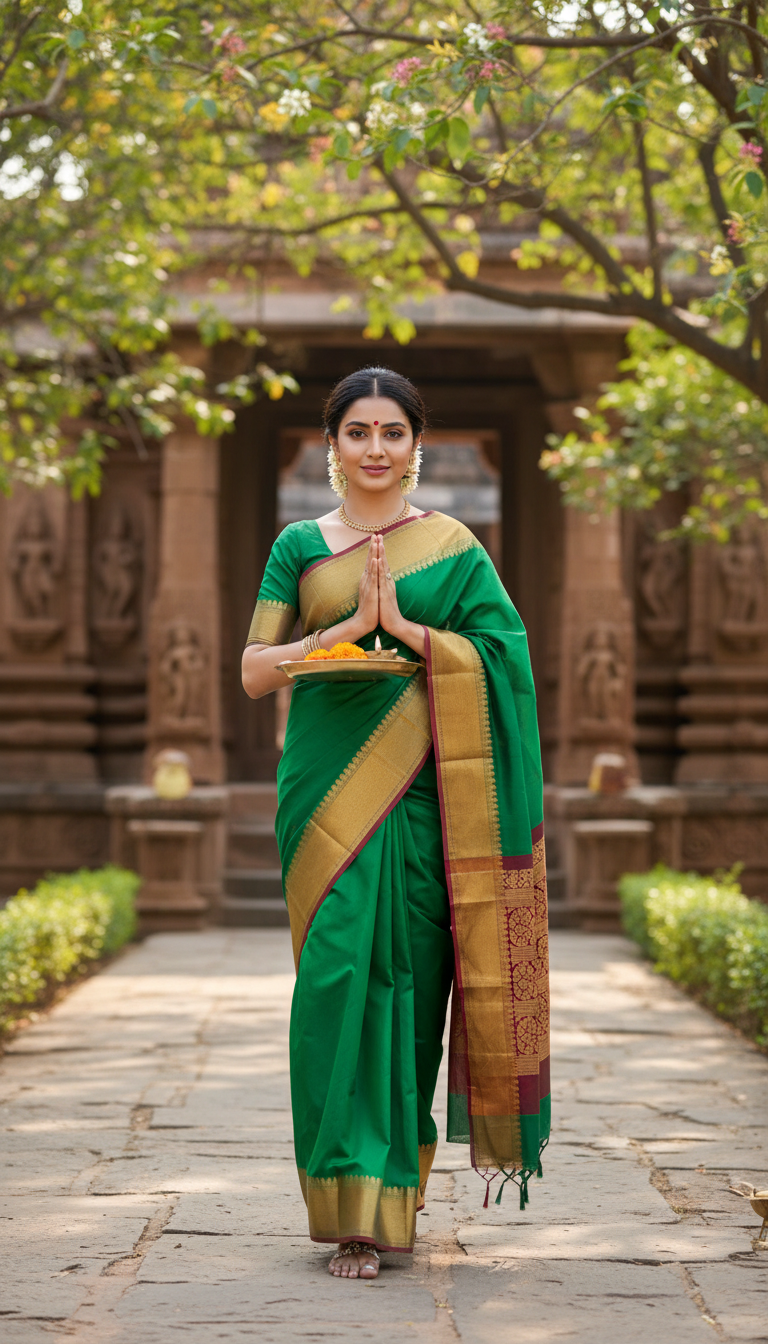
Maheshwari Saree Temple Walk
Discover a beautiful image of an adult person in a vibrant Maheshwari silk-cotton saree, with a reversible border, walking towards a temple. Captures cultural grace and traditional Indian fashion.
How to Generate Authentic Maheshwari Saree Temple Walk Portraits with AI
Create Culturally Rich Indian Ethnic Wear Visuals for Your Next Campaign
The Maheshwari Saree Temple Walk template is a specialized AI image generator that instantly creates high-resolution, photorealistic portraits of a person gracefully walking toward an ancient Indian temple while draped in a vibrant silk-cotton Maheshwari saree. Designed for fashion brands, ethnic wear campaigns, and digital creators, this tool meticulously renders the distinctive reversible borders of the Maheshwari weave, alongside traditional cultural accents like a floral gajra, bindi, and gold jewelry. Produce campaign-ready visuals bathed in soft natural sunlight without the need for complex, on-location shoots.
How to create it in VapuAI
- 1
Upload Reference Image
Upload a clear portrait photo to serve as the identity reference for the person wearing the saree.
- 2
Select the Template
Navigate to the Indian Sarees category and select the Maheshwari Saree Temple Walk template.
- 3
Customize the Look
Add specific color preferences for the silk-cotton saree and reversible border in the prompt placeholder.
- 4
Generate the Image
Click generate to process the AI image, merging your face reference with the sunlit temple scene.
- 5
Download and Publish
Download your high-resolution 9:16 portrait, ready for fashion campaigns or social media.
Prompt & settings
Creative goal
A high-resolution, photorealistic image of an adult person gracefully walking towards an ancient Indian temple, adorned in a beautiful Maheshwari silk-cotton saree with a distinctive reversible border, showcasing traditional Indian elegance.
Style anchors
Tips for best results
- •Use reference images with soft, natural lighting to best match the warm, sunlit environment of the ancient temple pathway.
- •Specify contrasting colors for the saree body and its reversible border in your custom text prompt to heavily accentuate the signature Maheshwari weaving style.
- •Ensure your uploaded face reference has a neutral or gently smiling expression to match the serene and spiritual mood of a traditional temple visit.
- •Mention specific traditional accessories like 'heavy gold temple jewelry' or 'fresh jasmine gajra' in the prompt to enhance the cultural authenticity of the final render.
Best for
- Indian ethnic wear brands needing high-volume, photorealistic catalog images showcasing traditional silk-cotton sarees in authentic cultural settings.
- Fashion influencers and digital creators looking to visualize themselves in regional Indian textiles for social media content without purchasing multiple expensive garments.
- Creative agencies developing marketing campaigns for cultural tourism or heritage festivals that require high-quality visuals of traditional temple architecture and regional attire.
- E-commerce platforms wanting to populate their Maheshwari saree product categories with engaging lifestyle imagery that highlights the reversible borders and elegant draping.
Frequently asked questions
Can I change the color of the Maheshwari saree in the AI template?
Yes, you can easily specify your desired colors for both the main silk-cotton fabric and the signature reversible border in the custom prompt field before generating the image.
Will the generated image retain the facial features of my uploaded photo?
Absolutely. VapuAI uses your uploaded reference image to strictly derive the facial features, body structure, and ethnicity, seamlessly blending them into the traditional Indian temple scene.
Is this template suitable for commercial fashion campaigns?
Yes, the template produces high-resolution, photorealistic 9:16 portraits that are fully cleared and optimized for social media ads, lookbooks, and e-commerce catalogs.
Does the AI accurately generate the temple background?
The template is engineered to create culturally accurate ancient Indian temple environments, complete with stone architecture, intricate carvings, and lush greenery bathed in natural sunlight.
More Templates in Indian Sarees

Red Banarasi Silk Saree Palace Wedding Prompt
Generate stunning photorealistic images of a person in an elegant red Banarasi silk saree, adorned with traditional jewelry, in a grand Indian palace wedding setting. Perfect for cultural fashion content.

Royal Blue Banarasi Silk Saree on Haveli Swing
Discover the timeless beauty of a royal blue Banarasi silk saree with heavy zari brocade, captured in a serene haveli setting. Perfect for cultural fashion inspiration.

Banarasi Silk Saree Mandap Ceremony
Generate exquisite AI images of an adult person in a luxurious Banarasi Silk saree with heavy zari brocade, captured in a warm, sacred Indian mandap setting. Perfect for cultural fashion and traditional themes.