 VapuAI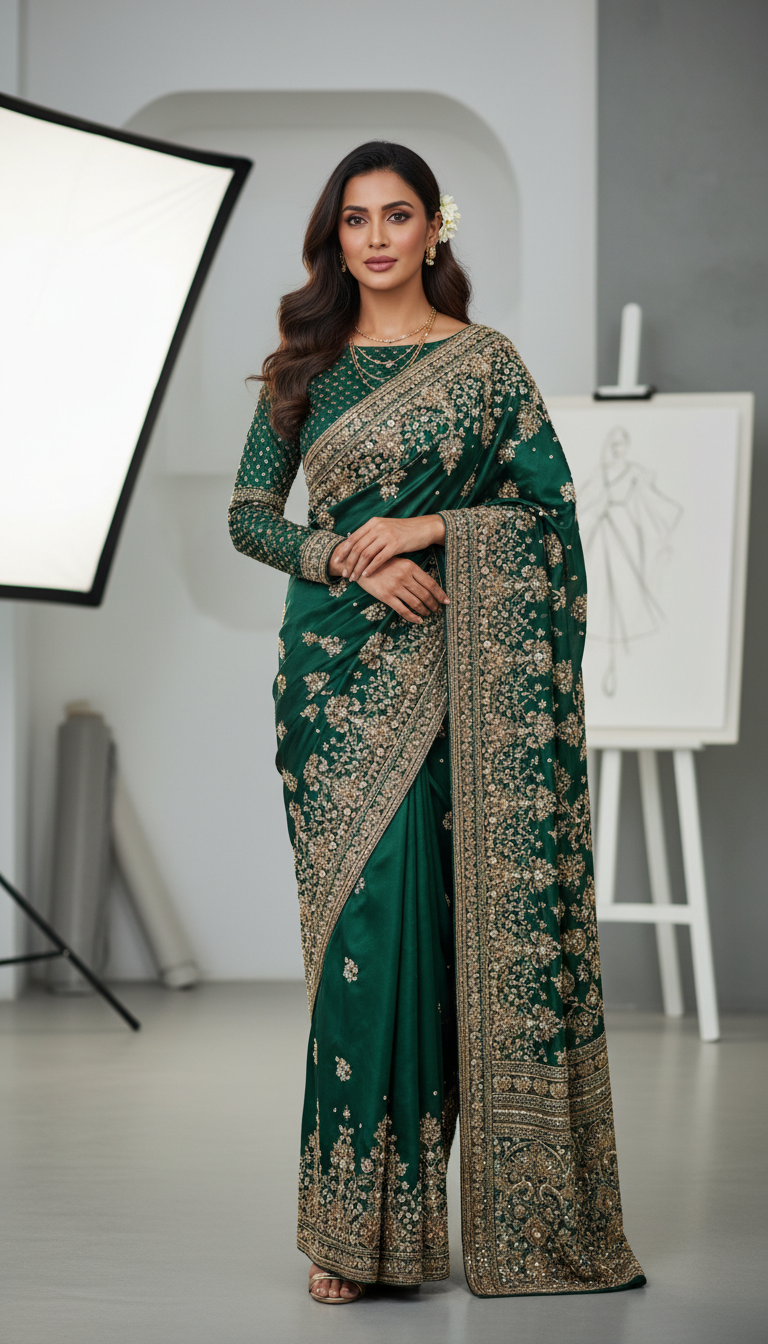
Embroidered Saree in Designer Studio
Discover an exquisite embroidered saree adorned with thread and beads, presented beautifully by an adult person in a chic designer studio. Perfect for fashion inspiration.
How to Generate High-Fashion Ethnic Wear Editorials with AI
Crafting Contemporary Designer Saree Campaigns Without a Studio Shoot
This AI template allows you to generate photorealistic, high-resolution portraits of a model wearing an intricately embroidered saree within a chic, modern designer studio setting. Ideal for fashion brands and digital creators, this tool seamlessly blends traditional thread and beadwork with a contemporary, minimalist aesthetic. Simply upload your subject's reference photo to instantly produce campaign-ready 9:16 editorial visuals that highlight the rich textures of ethnic fashion against a clean, professional workspace backdrop, completely eliminating the need for expensive physical location shoots.
How to create it in VapuAI
- 1
Upload Subject Reference
Upload a clear, front-facing reference image of your subject to ensure accurate facial features and identity in the final studio portrait.
- 2
Select the Template
Navigate to the Indian Sarees category and select the Embroidered Saree in Designer Studio template.
- 3
Customize the Saree Prompt
Enter custom details such as preferred saree color, specific threadwork styles, or bead patterns into the prompt placeholder to fit your creative vision.
- 4
Generate the Portrait
Click generate to create the 9:16 photorealistic fashion image featuring the embroidered saree against the minimalist studio backdrop.
- 5
Download and Publish
Download the high-resolution editorial visual and add it directly to your e-commerce catalog or marketing campaigns.
Prompt & settings
Creative goal
To generate a photorealistic portrait of an adult person wearing an elegantly embroidered saree, featuring intricate thread and bead work, posed gracefully in a modern designer studio setting.
Style anchors
Tips for best results
- •For the most striking contrast, prompt for bold or jewel-toned saree colors that will stand out beautifully against the template's neutral, minimalist studio background.
- •Ensure your uploaded reference photo has even lighting to help the AI smoothly match the sophisticated, well-lit environment of the designer studio.
- •If you want a specific type of regional embroidery, such as Zardozi or Chikankari, explicitly add these terms to the custom prompt placeholder to guide the detailing.
- •Leverage the vertical 9:16 aspect ratio by using these generated visuals directly for mobile-first e-commerce product galleries or social media stories.
Best for
- Fashion marketing agencies need to produce high-volume, editorial-style ethnic wear lookbooks without booking expensive physical studio spaces.
- Social media influencers and digital creators can use this template to showcase custom embroidered saree styles in a professional, chic environment for their feeds.
- Boutique ethnic wear designers can visualize their complex thread and beadwork concepts on photorealistic models to test market appeal before manufacturing.
- E-commerce managers looking to standardize their catalog with clean, well-lit, contemporary 9:16 portraits that highlight intricate traditional apparel.
- Creative directors working on fusion fashion campaigns can quickly generate mood board concepts blending traditional sarees with modern architectural backgrounds.
Frequently asked questions
Can I change the background of the designer studio?
This specific template is designed to produce a modern, minimalist designer studio with clean lines and neutral tones to complement the embroidered saree. For entirely different environments, you can browse other environmental templates in the Indian Sarees collection.
How does the AI capture the intricate thread and bead work of the saree?
VapuAI's generation process is optimized for photorealism and high resolution, ensuring that complex traditional details like embroidery and beadwork are rendered with sharp, campaign-ready precision.
Can I use this template for commercial fashion campaigns?
Yes, all visuals generated through your VapuAI workspace are cleared for commercial use, making them perfect for digital lookbooks, social media advertisements, and e-commerce catalogs.
What aspect ratio does this saree template output?
This template defaults to a 9:16 portrait aspect ratio, which is specifically optimized for mobile viewing, full-length fashion editorial shots, and social media formats.
More Templates in Indian Sarees

Red Banarasi Silk Saree Palace Wedding Prompt
Generate stunning photorealistic images of a person in an elegant red Banarasi silk saree, adorned with traditional jewelry, in a grand Indian palace wedding setting. Perfect for cultural fashion content.

Royal Blue Banarasi Silk Saree on Haveli Swing
Discover the timeless beauty of a royal blue Banarasi silk saree with heavy zari brocade, captured in a serene haveli setting. Perfect for cultural fashion inspiration.

Banarasi Silk Saree Mandap Ceremony
Generate exquisite AI images of an adult person in a luxurious Banarasi Silk saree with heavy zari brocade, captured in a warm, sacred Indian mandap setting. Perfect for cultural fashion and traditional themes.