 VapuAI
AI Google Display Ad Generator
Generate Google Display ads — responsive landscape and square plus every fixed size — across 20+ models, ready for your GDN campaigns in minutes.
Responsive vs fixed-size Google Display ads — which should I use?
Responsive display ads let Google resize your assets to fit almost any Display Network slot: you supply a landscape image (1.91:1, e.g. 1200 × 628 px), a square (1:1, e.g. 1200 × 1200 px) and a logo (1:1 1200 × 1200 px, or 4:1 1200 × 300 px), and the system assembles the rest. Fixed-size (uploaded) ads give you pixel control over specific placements — 300 × 250, 728 × 90, 160 × 600, 320 × 50 and more. Responsive maximises reach with minimal assets; fixed maximises design control. VapuAI generates both across 20+ models, so you can seed a responsive campaign and hand-craft your highest-value fixed sizes from the same concept.
Google Display ad specifications
Responsive display uses landscape + square + logo assets; fixed (uploaded) ads use specific pixel sizes. Image files: GIF, JPG or PNG up to 150 KB.
| Format | Dimensions | Type |
|---|---|---|
| Responsive — landscape (1.91:1) | 1200 × 628 px | Responsive asset |
| Responsive — square (1:1) | 1200 × 1200 px | Responsive asset |
| Responsive — logo (1:1 / 4:1) | 1200 × 1200 / 1200 × 300 px | Responsive asset |
| Fixed — medium rectangle | 300 × 250 | Uploaded, highest volume |
| Fixed — leaderboard | 728 × 90 | Uploaded, desktop top |
| Fixed — wide skyscraper | 160 × 600 | Uploaded, sidebar |
| Fixed — mobile leaderboard | 320 × 50 | Uploaded, mobile |
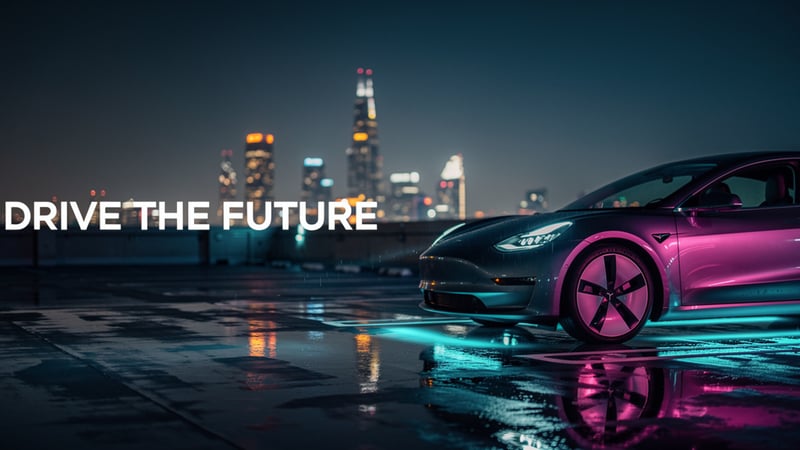
Sample display ads for this use case




Three steps to a finished display ad
Choose responsive or fixed
Seed a responsive campaign with landscape + square + logo assets, or hand-craft specific fixed sizes — start from the template for each.
Generate across models
Produce display creative across 20+ models, then edit in place so the focal point survives Google's automatic cropping.
Export for GDN
Download responsive assets and your priority fixed sizes from one concept, each under the 150 KB image limit, with commercial rights included.
Why performance teams use it
Responsive + fixed
Seed responsive reach and hand-craft high-value fixed sizes from one concept.
Crop-safe
Keep the focal point centred so automatic resizing never clips the message.
Cleared
Commercial usage rights on every plan for GDN campaigns.
Fair
Failed generations are auto-refunded — pay only for usable display ads.
Questions, answered
What assets do responsive display ads need?
A landscape image at 1.91:1 (e.g. 1200 × 628 px), a square at 1:1 (e.g. 1200 × 1200 px) and a logo (1:1 at 1200 × 1200 px, or 4:1 at 1200 × 300 px). Google assembles the rest to fit each slot, so a few assets cover most of the Display Network.
Can I still upload fixed-size display ads?
Yes. Fixed (uploaded) ads give you pixel control over specific placements such as 300 × 250, 728 × 90, 160 × 600 and 320 × 50. Generate your priority sizes and keep each image file under the 150 KB limit.
How do I stop Google cropping my ad badly?
Keep the key subject and any text near the centre and avoid edge-critical detail. Because you generate one concept and adapt it, you can nudge the composition so it survives responsive cropping across ratios.
Are the display ads cleared for paid GDN buys?
Yes — commercial usage rights are included on every plan, so responsive and fixed display creative is cleared for Google Display Network campaigns out of the box.
Related generators
Launch your next display campaign
Generate responsive and fixed-size display ads across 20+ models in one workspace.
Open Image Studio →