 VapuAI
Confused Thinking Mystery Thumbnail
A YouTube thumbnail featuring confused thinking pose with raised eyebrow, hand on chin, looking upward against swirling mystery background with floating question marks.
How Can You Hook Viewers with a Mystery-Driven YouTube Thumbnail?
Build Intrigue Instantly Using the Confused Thinking Pose and Enigmatic Backgrounds
The Confused Thinking Mystery Thumbnail is an AI-powered image generator that allows you to instantly create a high-resolution YouTube cover featuring your exact likeness in a classic contemplative pose, complete with a raised eyebrow and hand on the chin. Set against a swirling, enigmatic background of deep blue and purple with floating question marks, this template is perfect for capturing viewer curiosity. Whether you are producing puzzle content, tackling unsolved mysteries, or presenting complex theories, this tool helps you design click-worthy, on-brand visuals that practically force your audience to stop scrolling and discover the answer in your video.
How to create it in VapuAI
- 1
Upload Reference Photo
Upload a clear, well-lit reference photo of the subject's face to ensure the AI accurately captures your unique identity and features.
- 2
Customize Your Prompt
Enter your specific custom prompt details, such as requesting a distinct outfit or subtly adjusting the exact style of the confused, thinking pose.
- 3
Refine Background Mood
Adjust the overall mood or color accents if you want the deep blue and purple swirling background to feature specific thematic elements for your brand.
- 4
Generate the Thumbnail
Generate the thumbnail and review the output to ensure the floating question marks and mystery background perfectly frame your contemplative expression.
- 5
Download the Final Image
Download your campaign-ready visual in high resolution, ready to be uploaded directly to YouTube to boost your video's engagement.
Prompt & settings
Creative goal
A high-resolution YouTube thumbnail capturing a confused, contemplative expression with classic thinking pose, set against a mysterious swirling background with floating question marks.
Style anchors
Tips for best results
- •Use a reference photo where the subject is looking slightly off-camera or upward; this naturally enhances the 'thinking' effect when the AI generates the hand-on-chin pose.
- •Keep your custom prompt focused on wardrobe and subtle expression tweaks, letting the template handle the heavy lifting of the deep blue swirling background and floating question marks.
- •Ensure the colors of any added text on your YouTube thumbnail contrast well with the deep blue and purple mystery background, bright yellows or crisp whites work exceptionally well.
- •If you want a more subtle look, prompt the AI to reduce the density of the floating question marks so they don't overpower your face.
Best for
- True crime and mystery YouTubers who need to visually represent the puzzling nature of an unsolved case to drive higher click-through rates.
- Tech and science educators breaking down complex, confusing topics who want to show their audience that they are tackling the hard questions together.
- Review channels and commentators analyzing plot holes in movies or confusing product releases, using the raised eyebrow to signal skepticism and intrigue.
- Marketing agencies managing multiple creator channels that need to produce high volumes of consistent, hook-driven thumbnail art without scheduling elaborate photoshoots.
- Puzzle and gaming creators showcasing tricky levels, riddles, or escape room content where a contemplative, questioning mood sets the perfect tone.
Frequently asked questions
Can I change the color of the swirling mystery background?
Yes, you can use the text prompt to suggest slight variations to the color palette, though the template defaults to deep blues, purples, and yellows for a classic enigmatic mood.
Does the AI automatically add the hand on the chin?
Absolutely. The template is specifically programmed to generate a contemplative, confused thinking pose, complete with a raised eyebrow and a hand resting on the chin, based on your uploaded reference photo.
Is this thumbnail suitable for non-mystery content?
Yes, it works incredibly well for any video where you are questioning a topic, addressing a confusing situation, or analyzing complex theories, such as tech reviews or commentary videos.
How do the floating question marks appear in the final image?
The AI stylizes black question marks to float seamlessly throughout the background composition, adding an extra layer of puzzle symbolism without obscuring your face.
More Templates in Youtube Thumbnails

Mind-Blown Explosion Thumbnail
A high-energy YouTube thumbnail featuring a flabbergasted mind-blown expression with finger pointing at temple, massive cartoonish explosion graphic behind head.
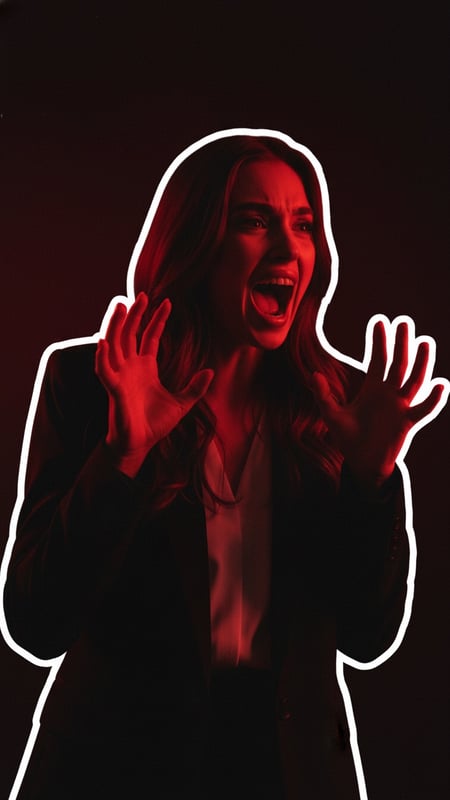
Terrified Screaming Red Shadows Thumbnail
An intense YouTube thumbnail with terrified screaming expression, hands raised defensively, moody red rim lighting against dark ominous black and deep red background.

Extreme Disbelief Jaw Drop Thumbnail
A high-impact YouTube thumbnail featuring an extreme jaw-drop shocked expression with comic sunburst background, halftone dots, and orange explosion shapes for maximum click appeal.