 VapuAI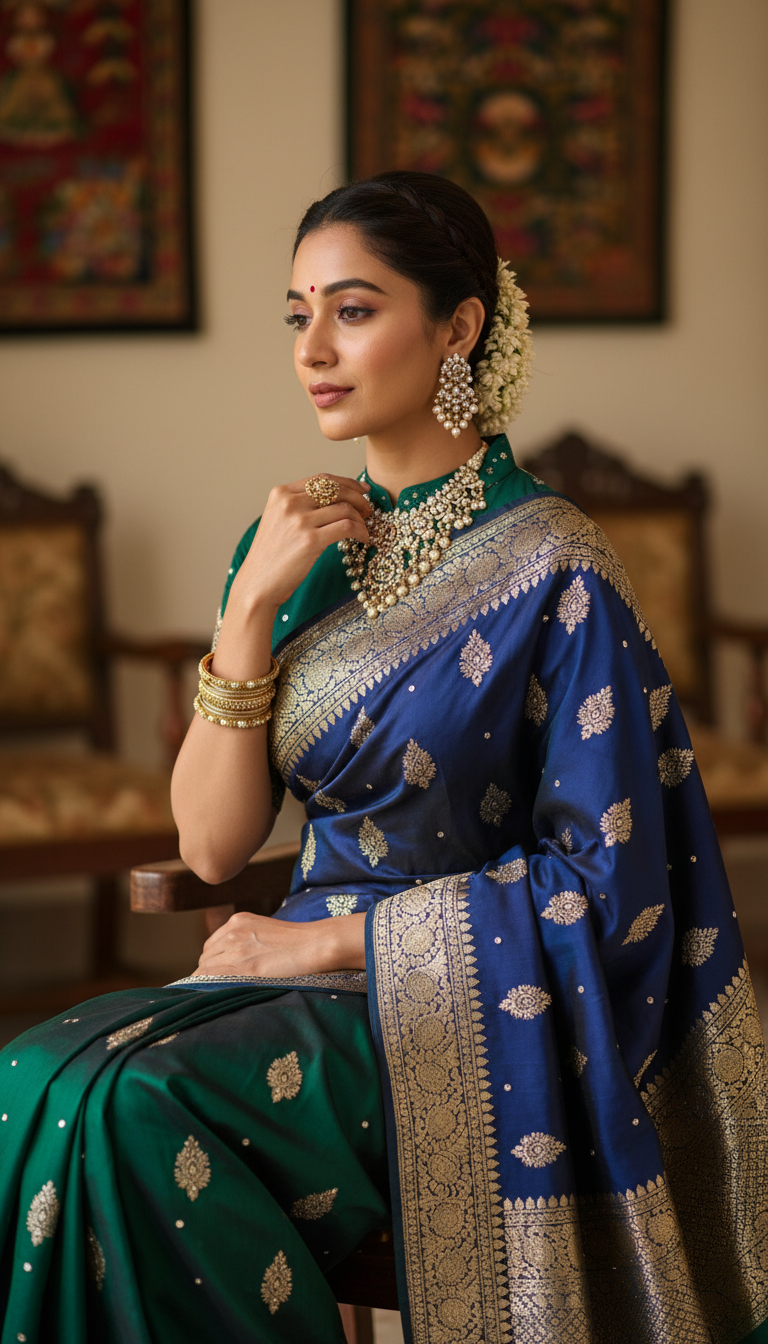
Seated Person Adjusting Jewelry in Embroidered Saree
Discover an exquisite image of a person gracefully seated, wearing a beautifully embroidered Indian saree and adjusting traditional jewelry. Showcases rich cultural fashion.
How Can You Generate High-Resolution Portraits of Traditional Jewelry and Saree Styling?
Elevate Your Ethnic Fashion Campaigns with Photorealistic AI Photography
This AI photo template allows you to generate a photorealistic, 9:16 vertical portrait of a person gracefully seated in an intricately embroidered Indian saree while subtly adjusting their traditional jewelry. Perfect for ethnic fashion campaigns, the prompt creates a serene, sophisticated indoor studio environment with soft, opulent lighting. Whether you are showcasing heavy threadwork, beadwork, or statement necklaces, this workspace tool delivers campaign-ready cultural imagery without the need for an expensive on-location photoshoot.
How to create it in VapuAI
- 1
Upload Reference Image
Upload a clear reference image of the model whose facial features, ethnicity, and body structure you want to feature in the portrait.
- 2
Choose the Template
Choose the 'Seated Person Adjusting Jewelry in Embroidered Saree' template to lock in the 9:16 vertical crop, sophisticated indoor setting, and graceful seated pose.
- 3
Customize Prompt Options
Customize the prompt by specifying the exact type of embroidery (such as zardosi, gota patti, or beadwork) and the color palette of the saree.
- 4
Generate Portrait
Generate the image to let VapuAI synthesize the opulent lighting, detailed fabric textures, and realistic jewelry adjustments.
- 5
Download and Deploy
Download your high-resolution portrait, ready to be deployed across social media, e-commerce banners, or digital fashion editorials.
Prompt & settings
Creative goal
Generate a photorealistic, high-resolution vertical portrait of a person gracefully seated, adorned in an intricately embroidered Indian saree, subtly adjusting traditional jewelry.
Style anchors
Tips for best results
- •Provide specific color keywords in your custom prompt (e.g., 'emerald green silk with gold threadwork') to ensure the embroidered saree matches your campaign's seasonal palette.
- •Mention the style of jewelry you want the subject to adjust, such as 'Kundan choker' or 'Polki earrings,' to guide the AI in generating cohesive traditional accessories.
- •Use a high-quality, well-lit reference photo so the AI can accurately map the model's facial features and expression to match the serene, contemplative mood of this template.
- •Keep your prompt focused on the intricate textures, using terms like 'heavy beadwork' or 'intricate zari border', to maximize the photorealistic output of the fabric.
Best for
- Jewelry brand marketers needing elegant, high-resolution lifestyle imagery to showcase traditional necklaces and earrings in a culturally authentic setting.
- Ethnic fashion agencies looking to produce visually rich lookbooks featuring heavy threadwork and beadwork sarees on diverse, photorealistic models.
- Social media influencers focusing on South Asian fashion who need consistent, high-quality seated portraits for their Instagram Reels and Pinterest boards.
- Wedding planners and bridal consultants creating mood boards to illustrate sophisticated, traditional styling and poised bridal poses to clients.
Frequently asked questions
Can I change the color and style of the embroidered saree?
Yes, you can fully customize the saree's color and the type of embroidery, such as threadwork or beadwork, by updating the text prompt before generating the image.
Does the AI maintain the exact face from my reference photo?
Absolutely. VapuAI uses your uploaded reference image to accurately map the facial features, gender, and ethnicity while placing the subject in this seated, jewelry-adjusting pose.
What aspect ratio is this template designed for?
This template generates a 9:16 vertical portrait, making it perfectly optimized for mobile-first platforms like Instagram Stories, Reels, TikTok, and Pinterest.
Can I control what type of jewelry is being adjusted?
Yes, you can specify the exact type of traditional Indian jewelry, like a heavy bridal choker, maang tikka, or jhumkas, in your custom prompt text to fit your styling needs.